
Settings and appearance
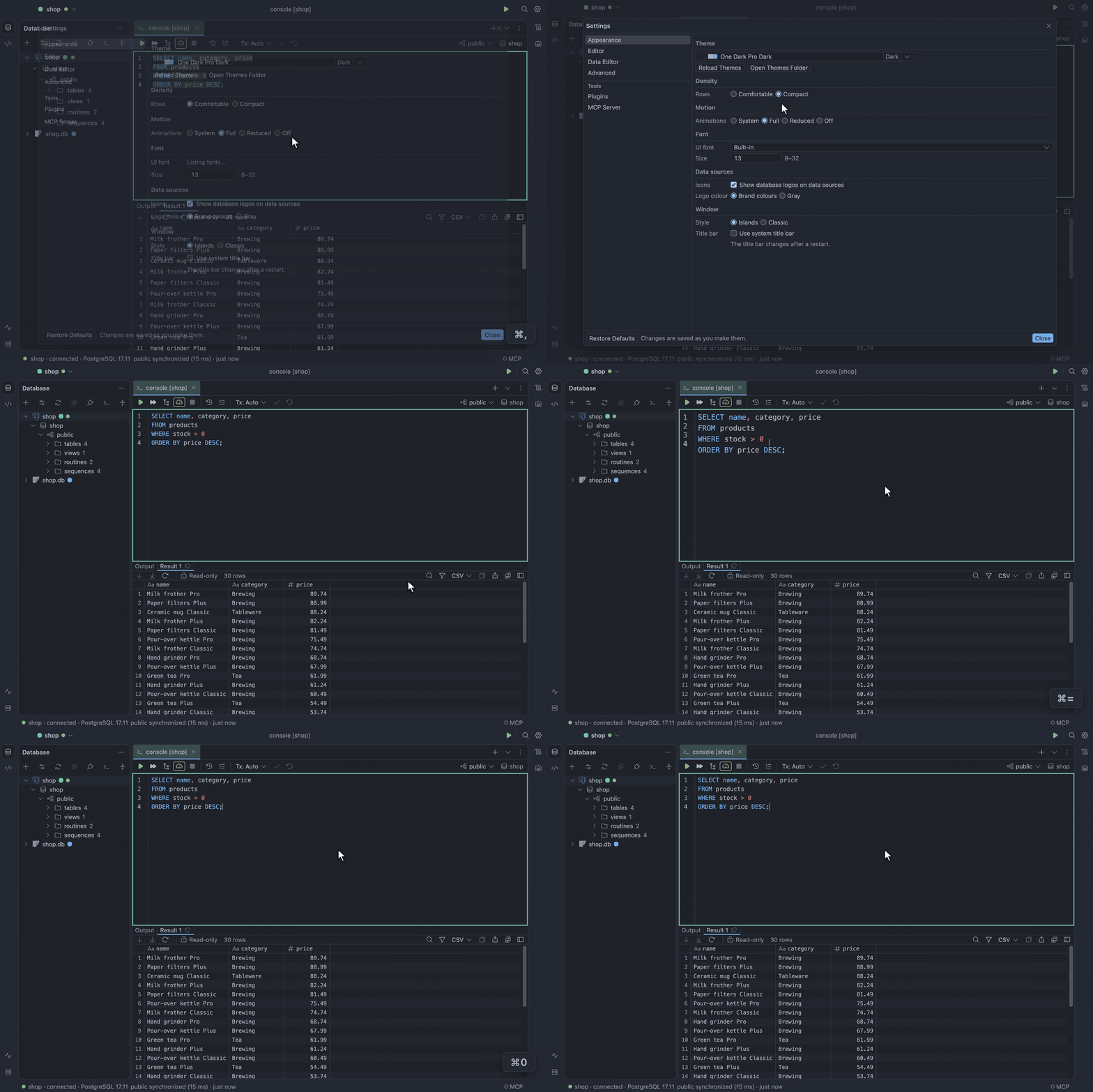
Settings… (⌘,) has pages for Appearance, Keymap, Editor, Data Editor, Plugins, MCP Server and
Advanced. To close it, click the X in its corner or Close, or press Escape. Numbers show their
digit separators until you edit them.
Appearance
Section titled “Appearance”Choose a theme
Section titled “Choose a theme”Pick a theme in Settings → Appearance, as Themes shows. Type in the theme dropdown to filter by name or source; the theme under the arrow keys or the mouse previews live. Follow system picks Dark, Light or High contrast from the operating system. Themes and density change live.
Zoom the editor font
Section titled “Zoom the editor font”⌘=, ⌘- and ⌘0 zoom the editor font.
Turn down motion
Section titled “Turn down motion”Menus, popovers and dialogs fade in briefly and close at once. To turn that down, set Motion to Reduced or Off, or to System to follow the operating system’s Reduce Motion.
Choose a window style
Section titled “Choose a window style”Window style changes live and works with every theme:
- Islands: the default. Draws the editor and each tool window as a rounded island on the window frame, the way JetBrains’ Islands theme does.
- Classic: draws them as flat panes split by lines.
Make your own theme
Section titled “Make your own theme”- Create a JSON file in
themes/in your profile folder. - Name any bundled theme, by its id from Themes, as its
base, and override any of its colour tokens undercolors. - Click Reload Themes in the Settings dialog to pick up new or changed files.
The theme appears as user:<file stem>, here user:solarized:
{ "name": "Solarized Dark", "base": "dark", "colors": { "canvas": "#002b36", "panel": "#073642" }}A file that does not parse, or whose base is not a bundled theme, is listed under Your themes, disabled, with its errors.
Notifications
Section titled “Notifications”The bell on the right edge of the window holds what TableCraft has to tell you:
- the version you updated to, with its release notes
- connections it found in DataGrip, TablePro or MySQL Workbench, with Import…
- an optional plugin it updated in the background
- new features, each with a button that opens the place to try it
A blue dot on the bell means something new; it pulses three times when a notice arrives (not at all with Motion at Reduced or Off) and goes away when you open the bell. Nothing opens by itself. A new profile counts the version and features it starts with as seen, so only connections found in other apps show on its first launch.
Dismiss a notice
Section titled “Dismiss a notice”To dismiss one notice, click Dismiss; Dismiss all removes every one. Using a notice’s button settles it too. An import notice stays until you import those connections or dismiss it.
Settings file
Section titled “Settings file”Settings live in settings.json in your profile folder. The Settings
dialog writes it; you can also edit it by hand, and a field that is missing or out of range falls
back to its default without affecting the others.
| Field | Values | Default |
|---|---|---|
appearance.theme |
system, dark, light, highContrast, an id from Themes, user:<file stem> |
system |
appearance.density |
comfortable, compact |
comfortable |
appearance.motion |
system, full, reduced, off |
system |
appearance.windowStyle |
islands, classic |
islands |
appearance.systemTitleBar |
true, false; read when the window opens |
false |
appearance.brandIcons |
true, false; database logos on data sources |
true |
appearance.brandIconColor |
brand, gray; the logos’ colour |
brand |
appearance.fonts.ui |
family: a font name, or null for the built-in; sizePx: 8–32 |
null, 13 |
appearance.fonts.editor |
family: a font name, or null for the built-in; sizePx: 8–32 |
null, 13 |
appearance.fonts.grid |
family: a font name, or null for the built-in; sizePx: 8–32 |
null, 12 |
editor.format.style |
aligned, standard; how Reformat Code lays SQL out |
aligned |
editor.format.keywordCase |
upper, lower, preserve; how Reformat Code cases keywords |
upper |
editor.format.indentWidth |
1–8 spaces | 2 |
editor.format.linesBetweenStatements |
0–5 blank lines | 1 |
editor.format.alignAliases |
true, false; line up AS in a select list (aligned style) |
true |
editor.inspections.enabled |
true, false; check SQL as you type |
true |
editor.inspections.disabled |
inspection ids to skip, such as SqlRedundantAlias |
[] |
keymap |
action id to its chords, such as "console.run": ["Ctrl+Enter"]; [] for none |
{} |
console.parameters |
true, false; ask for :name, ? and $1 values before a run |
true |
console.statementTimeoutSeconds |
0–86,400; a console statement running longer is cancelled; 0 waits | 0 |
console.sessionsRefreshSeconds |
1–3,600; how often a Sessions tab with Auto-refresh on lists again | 5 |
console.runAllOnError |
ask, stop, continue; what a run of several statements or a SQL script does on a failure |
ask |
data.nullText |
1–16 characters | <null> |
data.stripedRows |
true, false |
true |
data.groupDigits |
true, false |
false |
data.detectJson |
true, false; open a text value holding a JSON object or array formatted in the value panel |
true |
data.pageRows |
10–10,000 | 500 |
data.fetchAllCap |
1,000–1,000,000, at least pageRows |
100,000 |
data.limitInSql |
true, false; write the page size into a plain SELECT as a row limit |
true |
data.aggregates |
which of count, distinct, sum, avg, min, max the grid’s selection line shows |
["count","distinct","sum","avg","min","max"] |
data.blobLimitMb |
1–128; the largest file, in MiB, Load from File puts into a binary cell, and Save to File reads | 16 |
log.level |
info, debug |
info |
data.exportStallSeconds |
10–3,600; an export or import the database stalls this long fails | 120 |
data.watchRetention |
1,000–100,000; events retained per new watch | 10,000 |
data.spillMessages |
true, false; keep a stream message over 1,024 characters in a temporary file and only its first 1,024 characters in memory |
true |
updates.checkAutomatically |
true, false; look for a new version after launch and every 2 hours |
true |
updates.channel |
auto, stable, beta; auto follows the build you run. Plugins follow it too |
auto |
plugins.registryUrl |
an https:// npm registry (plain http:// only on this machine); where plugins download from |
https://registry.npmjs.org |
plugins.registries |
{ "id", "name", "url", "scopes", "packages" } per private registry |
[] |
mcp.allowFocus |
true, false; let an agent bring the window forward when it opens or edits a console |
true |
mcp.clients |
{ "name", "allowed" } per MCP client you answered; Allow or Block |
[] |
mcp.enabled |
true, false; run the MCP server for AI agents |
false |
mcp.notifications |
true, false; a system notification and dock badge while an agent waits in the background |
true |
mcp.port |
1,024–65,535; the port it listens on, on 127.0.0.1 only | 47,820 |
mcp.rowCap |
1–1,000; the most rows one agent answer carries | 100 |
mcp.statementTimeoutSeconds |
1–3,600; an agent’s statement running longer is stopped, by the database too where it can | 120 |