
etcd
The etcd plugin connects to etcd 3.5 or later and downloads the first time you add an etcd data
source. Keys list in the Database pane, each key
opens in an editor with its history, and the console takes etcdctl-shaped commands.
Connect
Section titled “Connect”List one or more endpoints in the advanced Endpoints (host:port, comma-separated) field, split by commas or one per line. TableCraft checks that they belong to the same cluster and uses only those, never the addresses the cluster advertises, so an SSH tunnel or TLS name stays in force for each (decision 139).
Sign in with Username and password, with a TLS client certificate (Client certificate CN), or with None in Authentication.
Show only the keys under a prefix
Section titled “Show only the keys under a prefix”Type the prefix in Namespace prefix. The namespace is only a view and grants no permission: leases, users, roles and maintenance still act on the whole cluster, and the app says so each time.
Read from the nearest member
Section titled “Read from the nearest member”Set Default read consistency to Serializable (may be stale). The member you reach then answers alone, and results are marked as possibly stale.
Key tree
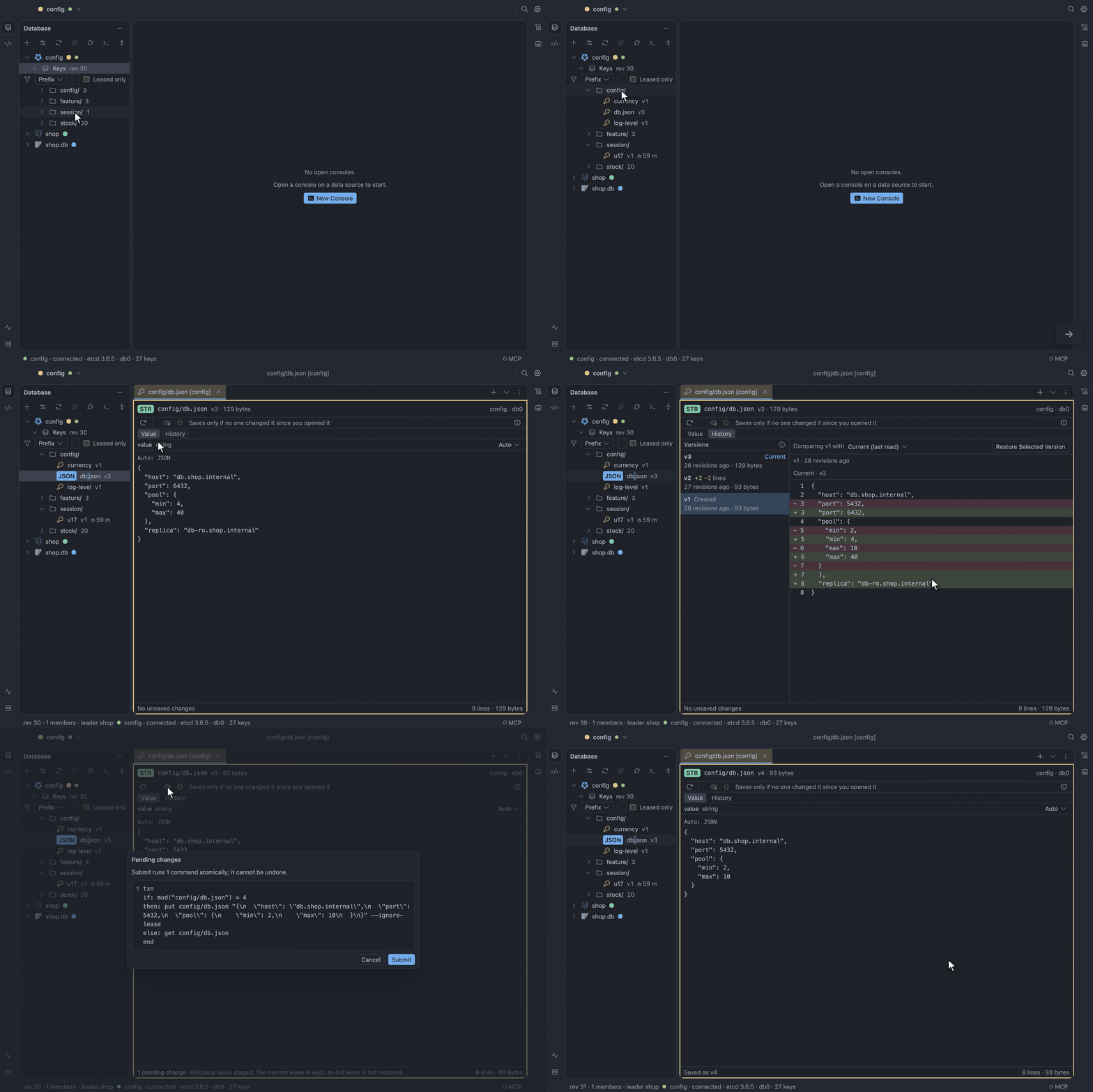
Section titled “Key tree”Keys sit in folders split on /, listed from the server 500 at a time per folder. Folders show
their counts as they scroll into view, and a key with a lease shows its time to live beside it.
To narrow the tree, use the filter row: filter by prefix, by range or by name among the loaded keys, or tick Leased only.
List keys only when asked
Section titled “List keys only when asked”Tick Load keys only when asked under Options in the Data Sources dialog. Keys then shows
Not listed · ~1,204 keys · List and reads nothing until you choose List or filter.
Delete keys
Section titled “Delete keys”Right-click a key and choose Delete Key, or a folder and choose Delete Keys Under Folder…, then click Delete. The dialog previews the keys first, and the delete fails if any of them changed since. A whole-keyspace or very large delete asks you to type the prefix.
Key editor
Section titled “Key editor”A key holds one value, read as Text, JSON, YAML, Hex or Base64. Key Details (⌘I) shows its
version, its create and mod revisions, and its lease. Submit writes one guarded transaction
(decision 136).
Merge a change someone else made
Section titled “Merge a change someone else made”When another client changed the key since you read it, the merge view shows theirs, yours and the result side by side. Choose Save Merged to submit the result, or Discard mine, use theirs to drop your edits and read their value again. Cancel closes the merge view.
Restore an earlier version
Section titled “Restore an earlier version”- Switch the key tab from Value to History.
- Select an earlier version. It shows as a diff against the current value.
- Click Restore Selected Version.
The version is staged in the editor, ready to submit. etcd keeps no dates, so ages count in revisions, and versions removed by compaction are named as missing, never hidden.
Leases
Section titled “Leases”In the key editor you can keep, detach or attach a key’s lease, or grant a new one. The Leases view lists every lease with its time to live and keys, and grants, renews and revokes them.
Revoking a lease deletes every attached key, outside the namespace too, and the preview counts them.
A watch follows a key, a prefix or a range, from now or from a past revision. The pane shows events as they arrive, reconnects on its own and marks any gap (compaction, overflow). To save what it kept as JSON Lines, choose Export Retained Events….
Server tab
Section titled “Server tab”The Server tab shows the members with the leader and learners, endpoint status and alarms. From it you can promote or remove a member, compact, defragment, take a snapshot (checksummed before it is saved) and check that the members agree.
Users & Roles
Section titled “Users & Roles”Users & Roles adds and removes users and roles, grants permissions on keys and prefixes, and turns authentication off. Passwords go in a prompt that never stores or logs them.
To turn authentication on, run it with etcdctl, then reconnect.
Locks and elections
Section titled “Locks and elections”A read-only view shows who holds and who waits for the locks and elections under the prefixes you configure, in Lock inspection prefix and Election inspection prefix.
Console
Section titled “Console”The console takes etcdctl-shaped get, put, del, txn, lease, member, endpoint,
alarm, compaction, defrag, user, role and auth, with completion.
user addanduser passwdopen the password prompt and leave nothing in history.watch,lease keep-aliveand snapshot open their view instead of running.
Build a transaction
Section titled “Build a transaction”Choose Transaction Builder to build a transaction visually: compares, then Then and Else operations, nested transactions included. The builder stays in step with the console text.
Import and export
Section titled “Import and export”To export a key range to a file at one revision, choose Export Key Range to JSON…, and to import one back, Import Keys from JSON…. An interrupted run resumes after the last confirmed chunk. Files are chosen in the system dialog and never overwrite an existing one.
Limits
Section titled “Limits”- etcd versions before 3.5 are not supported.
- Authentication cannot be turned on from TableCraft; use
etcdctl.